Email marketing remains one of the most cost-effective ways to stay connected with your audience. But if your emails are being filtered into the spam folder, your efforts may go unnoticed. Whether you’re promoting a new product, nurturing leads, or sending newsletters, it is critical to ensure your emails reach the inbox and are actually opened. This guide will walk you through proven email compliance and deliverability best practices that help keep your campaigns on track.
Why Do Emails End Up in Spam?
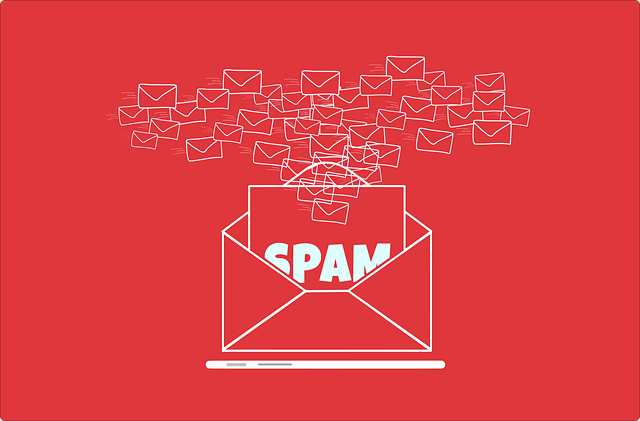
Email providers use sophisticated algorithms to protect users from unwanted content. Unfortunately, even well-meaning businesses can land in the spam folder if certain rules are not followed. Some of the most common reasons emails are marked as spam include:
- Sending to contacts who did not give you permission to email them
- Using language that sounds too aggressive or sales-focused
- Having poorly formatted content or low-quality design
- Using a sender email address with a bad sending reputation
Understanding these risks is the first step toward preventing them.
1. Use a Reputable Email Service Provider
A reliable email marketing platform helps you build and send campaigns that meet the standards set by inbox providers like Gmail, Outlook, and Yahoo. Services such as Mailchimp, Constant Contact, and Klaviyo are built with deliverability in mind. They actively monitor blacklists, offer deliverability tools, and handle essential technical setups such as bounce management and feedback loops.
Using a trusted provider also helps you stay compliant with important regulations like CAN-SPAM, GDPR, and CCPA. These services ensure your emails are built with the necessary elements such as unsubscribe links, physical mailing addresses, and permission tracking.
2. Always Get Permission from Your Recipients
Consent is the foundation of good email marketing. Never send emails to people who did not explicitly sign up for your list. This includes buying or renting email lists, scraping addresses from websites, or adding people without their knowledge.
Use double opt-in forms to verify new subscribers. This means that after a person signs up, they receive a confirmation email to validate their interest. This extra step helps you build a higher-quality list and reduces the chance of spam complaints.
3. Authenticate Your Email Domain
Email authentication helps inbox providers confirm that you are who you say you are. Three essential protocols to set up are:
- SPF (Sender Policy Framework): Tells email providers which IP addresses are allowed to send email on behalf of your domain.
- DKIM (DomainKeys Identified Mail): Uses a digital signature to confirm that the email content has not been tampered with in transit.
- DMARC (Domain-based Message Authentication, Reporting & Conformance): Adds a policy to protect your domain from being used in phishing attacks.
Failing to configure these settings can make your emails look suspicious and increase the chances of being flagged as spam. CurePay can help you get these technical details set up correctly.

4. Write Honest and Engaging Subject Lines
Your subject line has one job: to convince someone to open your email. It should be clear, compelling, and honest. Avoid using deceptive tactics like promising things that are not delivered in the email. Stay away from clickbait phrases, excessive punctuation, or all-capital letters.
Instead, focus on subject lines that communicate value. Here are a few examples:
- “Your Free Website Audit is Ready”
- “Quick SEO Tips to Grow Your Business This Month”
- “3 Local Marketing Hacks to Try This Week”
The more relevant your subject line is to the recipient’s interests, the better your open rates will be.
5. Personalize Your Emails and Segment Your List
One-size-fits-all emails tend to underperform. Personalization makes your content feel more relevant, which encourages engagement. Use the recipient’s name, business name, or location where appropriate.
Segmentation takes personalization a step further. Divide your email list into smaller groups based on interests, behavior, purchase history, or location. This allows you to send targeted content that meets the specific needs of each group.
For example, you could send one message to new subscribers and a different one to long-time customers. You could also target people who recently clicked on a service link but didn’t book a consultation.

6. Keep Your Email List Clean and Updated
Inactive or invalid email addresses can hurt your sender reputation. Make it a regular habit to remove contacts who have not opened or interacted with your emails in a long time.
Use tools to verify email addresses before adding them to your list. Monitor bounce rates and remove hard bounces immediately. Many email platforms offer automatic list cleaning features that help manage this process with minimal effort.
Cleaning your list improves your overall open rates and tells email providers that you are sending content people actually want.
7. Include a Clear and Easy-to-Find Unsubscribe Link
Giving people the option to unsubscribe is not just a good practice—it is required by law in most countries. Hiding or omitting the unsubscribe link will likely result in more spam complaints.
Make the unsubscribe option easy to find, ideally at the bottom of your email in plain language. Respect all opt-out requests promptly and avoid sending future emails to anyone who unsubscribes.
Remember, it is better to lose a disinterested subscriber than to end up in the spam folder or flagged as a violator of email regulations.
8. Use a Healthy Balance of Text and Images
Emails that rely too heavily on images may trigger spam filters. On the flip side, plain text emails may not be engaging enough for visual readers. Aim for a balance that includes clear text, helpful images, and a strong call to action.
Always include alt text for your images so that recipients who block images can still understand what the email is about. Avoid embedding large files or using background images, which can slow loading and raise red flags with email providers.
9. Test and Preview Before Sending
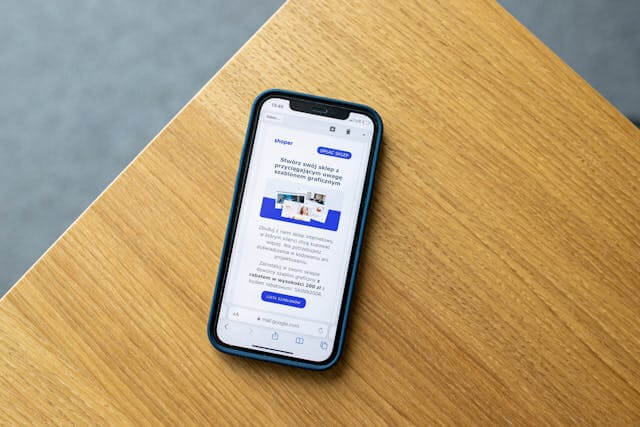
Many email platforms allow you to preview your emails across different devices and email clients. Use this feature to catch formatting issues, test links, and evaluate how your message will look in dark mode or mobile view.
You can also run your email through a spam test tool before launching your campaign. This helps identify potential issues with your subject lines, images, links, or content structure.
Testing prevents simple mistakes that could hurt performance and ensures your email looks professional across all platforms.
10. Monitor Performance Metrics Regularly
Tracking your email performance helps you understand what works and what needs improvement. Focus on key metrics such as:
- Open rate
- Click-through rate
- Bounce rate
- Spam complaints
- Unsubscribe rate
If you notice a spike in bounces or spam reports, take immediate action. Investigate the issue, clean your list, and review your content for possible triggers. Consistently high engagement signals to email providers that your messages are valuable, which boosts your chances of staying in the inbox.

Final Thoughts
Keeping your emails out of the spam folder is not a guessing game. It requires careful planning, ongoing testing, and a commitment to following industry best practices. With the right tools and strategies in place, you can improve your deliverability, increase your open rates, and get more value from every campaign.
Need help building a compliant and effective email marketing strategy? CurePay offers expert services tailored for small businesses. We handle the technical setup, write custom content, and optimize your campaigns for success.
📞 Book your free 30-minute consultation today and let’s make your emails work smarter for your business.
📞 Call 1.855.287.3729
🌐 Visit CurePay.com/contact